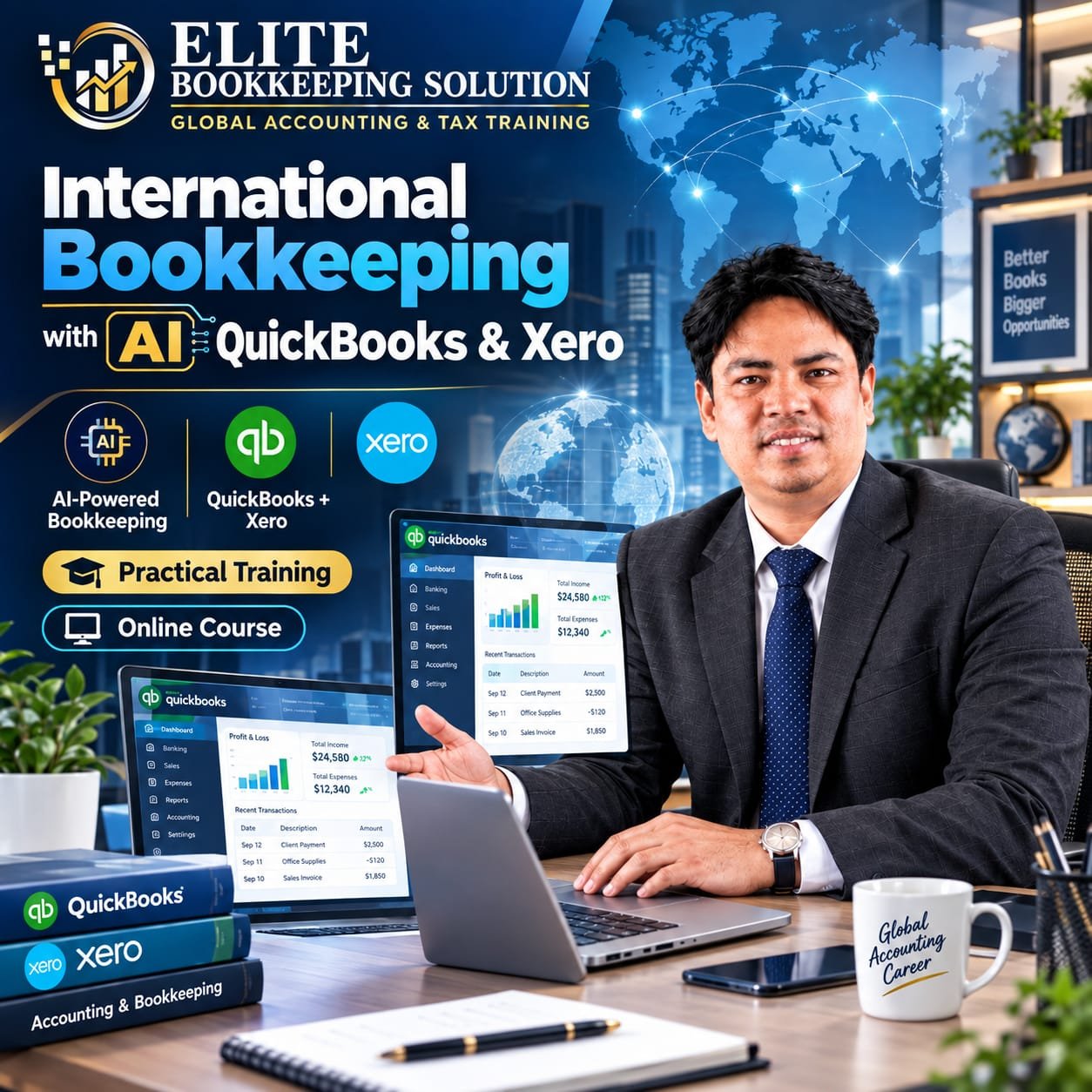
Classroom training overview
Learn in person at our Aftabnagar training centre with practical, four-hour classroom sessions.
- QuickBooks Basic to Advanced
- Xero Basic to Advanced
- E-commerce Bookkeeping
- Real Estate Bookkeeping
- US & UK Payroll Bookkeeping and Tax
- Payroll Tax Calculation, Payment and Filing
- VAT Return & Filing
- GST and US Sales Tax & Filing
- Advanced Reconciliation, Cleanup & Catch-up
- Apps Integration — Hubdoc, Dext, Receipts & File
- Data Migration
- Live Support and Practice Sessions
- Marketplace Training — Fiverr, Upwork & LinkedIn
- Job Placement / Internship Preparation
Offline curriculum
20 classes · 80 hours · 4 hours per class
01Module 1: QuickBooks Basic to Advanced2 classes+
Class 1 · 4 hours+
- Introduction to QuickBooks & Company Setup
- Chart of Accounts Configuration
- Customer Management & Invoicing
- Vendor Management & Bill Payments
- Banking & Bank Reconciliation
Class 2 · 4 hours+
- Inventory Management
- Fixed Asset Setup & Depreciation Tracking
- Budgeting & Forecasting
- Advanced Reporting & Custom Reports
- Multi-User Access & Data Security
02Module 2: Xero Basic to Advanced2 classes+
Class 3 · 4 hours+
- Introduction to Xero & Organization Setup
- Chart of Accounts & Conversion Balances
- Customer Invoicing & Accounts Receivable
- Bills, Expenses & Vendor Management
- Bank Feeds & Bank Reconciliation
Class 4 · 4 hours+
- Expense Claims & Employee Reimbursements
- Fixed Asset Setup & Depreciation Tracking
- Inventory Management & Item Tracking
- Payroll Setup & Processing (Region-Specific)
- Advanced Reporting, Budgeting & Add-On Integrations
03Module 3: E-commerce Bookkeeping1 class+
Class 5 · 4 hours+
- Introduction to E-commerce Bookkeeping Basics
- Setting Up Chart of Accounts for E-commerce
- Recording Sales from Amazon, eBay, and Shopify
- Managing Payment Gateways (PayPal, Stripe, etc.)
- Tracking Fees, Commissions, and Payouts
- Inventory Management & Cost of Goods Sold (COGS)
- Tax Collection & Reporting
- Reconciling Bank and Platform Deposits
- Handling Returns, Refunds, and Chargebacks
- Financial Reporting & Profitability Analysis for E-commerce
04Module 4: Real Estate Bookkeeping1 class+
Class 6 · 4 hours+
- Setting Up Chart of Accounts for Real Estate
- Tracking Property Acquisition Costs
- Recording Renovation & Improvement Expenses (Flipping)
- Tracking Rental Income & Security Deposits
- Managing Operating Expenses (Repairs, Utilities, etc.)
- Loan & Mortgage Tracking
- Depreciation of Rental Properties & Fixed Assets
- Capital Gains & Cost Basis for Flipped Properties
- Cash Flow Management for Multiple Properties
- Financial Reporting for Flipping vs. Rental Portfolios
05Module 5: US Payroll Bookkeeping & Payroll Tax2 classes+
Class 7 · 4 hours+
- 1. Payroll Setup & Employee Onboarding — Setting up payroll systems in QuickBooks Payroll and Gusto
- 1. Payroll Setup & Employee Onboarding — Employee classification: W-2 vs 1099
- 1. Payroll Setup & Employee Onboarding — Collecting W-4 and I-9 forms
- 2. Payroll Processing (Weekly/Biweekly) — Calculating gross pay, deductions, net pay
- 2. Payroll Processing (Weekly/Biweekly) — Handling bonuses, commissions, and PTO
- 2. Payroll Processing (Weekly/Biweekly) — Running payroll schedules in QuickBooks and Gusto
- 3. Payroll Tax Withholding & Payments — Federal: Social Security, Medicare (FICA), Federal Income Tax
- 3. Payroll Tax Withholding & Payments — State: Income tax, unemployment (SUTA)
- 3. Payroll Tax Withholding & Payments — Employer-side taxes
- 4. Payroll Tax Filings — Quarterly Form 941 and applicable state returns; annual Form 940
Class 8 · 4 hours+
- 4. Payroll Tax Filings — Year-end filings: W-2, W-3, 1099-NEC
- 4. Payroll Tax Filings — Tax payment scheduling and deposits via EFTPS
- 5. Bookkeeping Entries — Recording payroll journal entries in QuickBooks Online
- 5. Bookkeeping Entries — Mapping payroll to Chart of Accounts
- 5. Bookkeeping Entries — Reconciling payroll reports with bank statements
- 6. Payroll Compliance & Audits — IRS and state audit readiness
- 6. Payroll Compliance & Audits — Maintaining employee payroll records
- 6. Payroll Compliance & Audits — Workers’ compensation and benefits reporting
- 7. Reporting & Reconciliation — Payroll summary reports
- 7. Reporting & Reconciliation — Tax liability reports
- 7. Reporting & Reconciliation — Monthly reconciliation between payroll software and books
06Module 6: UK Payroll Bookkeeping & Payroll Tax2 classes+
Class 9 · 4 hours+
- 1. Payroll Setup & HMRC Registration — Registering as an employer with HMRC
- 1. Payroll Setup & HMRC Registration — Setting up payroll in Xero UK Payroll
- 1. Payroll Setup & HMRC Registration — Adding employees and PAYE references
- 2. Payroll Processing & RTI Submissions — Running monthly payroll with tax codes
- 2. Payroll Processing & RTI Submissions — Real-Time Information (RTI) submission to HMRC via Xero
- 2. Payroll Processing & RTI Submissions — Generating payslips and P60s
- 3. Payroll Tax Calculations — PAYE (Income Tax)
- 3. Payroll Tax Calculations — National Insurance (NI) – Employee and Employer portions
- 3. Payroll Tax Calculations — Pension Auto-enrolment contributions
Class 10 · 4 hours+
- 4. Payroll Bookkeeping Entries — Recording payroll journals in Xero
- 4. Payroll Bookkeeping Entries — Allocating wages, taxes, pensions to correct accounts
- 4. Payroll Bookkeeping Entries — Reconciling with business bank account
- 5. HMRC Reporting & Compliance — Submitting FPS and EPS to HMRC
- 5. HMRC Reporting & Compliance — Managing statutory payments (SSP, SMP)
- 5. HMRC Reporting & Compliance — Year-end: P60, P45, P11D submissions
- Software Platforms Covered: — QuickBooks Payroll (US) – payroll processing, tax filings, bookkeeping sync
- Software Platforms Covered: — Gusto (US) – full payroll automation, contractor payments, benefits integration
- Software Platforms Covered: — Xero Payroll (UK) – HMRC RTI filing, pension auto-enrolment, payroll reporting
07Module 7: Advanced Reconciliation, Cleanup & Catch-up1 class+
Class 11 · 4 hours+
- Reviewing and Correcting Opening Balances
- Bank and Credit Card Reconciliation (Multi-month/Year)
- Identifying and Fixing Duplicate or Missing Transactions
- Matching Deposits to Sales and Invoices
- Clearing Undeposited Funds and Aged Receivables/Payables
- Correcting Misclassified Transactions
- Reconciling Loan Accounts and Interest Calculations
- Fixing Payroll and Tax Liabilities Errors
- Organizing Historical Records for Compliance and Audits
- Generating Clean Financial Reports After Catch-up
08Module 8: UK VAT Return & Filing (MTD Compliant)3 classes+
Class 12 · 4 hours+
- 1. VAT Scheme Setup — Understanding different VAT schemes: Standard, Flat Rate, Cash, Annual
- 1. VAT Scheme Setup — Setting up VAT in QuickBooks, Xero, and spreadsheet-based systems
- 1. VAT Scheme Setup — Entering VAT registration details and effective dates
- 2. VAT Code & Rate Configuration — Overview of VAT rates: Standard (20%), Reduced (5%), Zero, Exempt, Outside Scope
- 2. VAT Code & Rate Configuration — Applying correct VAT codes to sales/purchases in QuickBooks and Xero
- 2. VAT Code & Rate Configuration — Custom VAT code setup for industry-specific needs
- 3. VAT-Related Transaction Processing — Recording sales and purchase invoices with correct VAT treatment
- 3. VAT-Related Transaction Processing — Bank feeds and VAT categorisation automation
- 3. VAT-Related Transaction Processing — Handling VAT on imports (Postponed VAT Accounting)
- 4. VAT Reconciliation Process — Reviewing and reconciling VAT transactions before submission
- 4. VAT Reconciliation Process — Checking VAT control accounts and ledger balances
- 4. VAT Reconciliation Process — Correcting common input errors in VAT coding
- 5. Generating VAT Reports — Producing VAT return summary (Box 1–9) in QuickBooks and Xero
Class 13 · 4 hours+
- 5. Generating VAT Reports — Understanding output vs input VAT calculations
- 5. Generating VAT Reports — Reviewing supporting reports for audit readiness
- 6. Making Tax Digital (MTD) Compliance — Overview of HMRC's MTD requirements
- 6. Making Tax Digital (MTD) Compliance — Ensuring digital record-keeping and digital links
- 6. Making Tax Digital (MTD) Compliance — Differences between direct MTD software and bridging software
- 7. MTD Bridging Software Usage — When and why to use bridging software (Excel-based bookkeeping)
- 7. MTD Bridging Software Usage — Importing spreadsheet data into:
- 7. MTD Bridging Software Usage — 123 e-Filing
- 7. MTD Bridging Software Usage — Easy MTD VAT Apps
- 7. MTD Bridging Software Usage — My Tax Digital
- 7. MTD Bridging Software Usage — Filing VAT returns via HMRC API through bridging tools
- 8. Digital Link Requirements — What qualifies as a digital link under MTD
- 8. Digital Link Requirements — Avoiding manual entry or copy-paste
Class 14 · 4 hours+
- 8. Digital Link Requirements — Creating compliant workflows across systems
- 9. VAT Return Filing Process — Filing directly through QuickBooks or Xero
- 9. VAT Return Filing Process — Filing via bridging software for Excel users
- 9. VAT Return Filing Process — Government Gateway login and submission confirmation
- 10. Payment & Record-Keeping — VAT payment options and deadlines
- 10. Payment & Record-Keeping — Setting up direct debit with HMRC
- 10. Payment & Record-Keeping — Storing VAT returns, reports, and audit logs for 6 years
- Software Tools Covered: — QuickBooks Online UK
- Software Tools Covered: — Xero UK Payroll & VAT
- Software Tools Covered: — 123 e-Filing
- Software Tools Covered: — Easy MTD VAT App
- Software Tools Covered: — My Tax Digital
- Software Tools Covered: — Generic MTD Bridging Software
09Module 9: Apps Integration (Hubdoc, Dext, Receipts & File)1 class+
Class 15 · 4 hours+
- Introduction to Document Management Apps
- (Overview of Hubdoc, Dext, Receipts & File and their role in modern bookkeeping)
- Account Setup & User Access Configuration
- (Creating accounts, adding users, setting roles and permissions)
- Connecting with Accounting Software
- (Integration with Xero, QuickBooks, Sage, etc.)
- Uploading Documents via Multiple Channels
- (Mobile app, email-in, drag-and-drop, scanner)
- Automatic Data Extraction Using OCR Technology
- (How receipts/invoices are read and parsed into financial data)
- Expense Categorization & Chart of Accounts Mapping
- (Coding transactions, setting default categories, syncing with ledgers)
- Supplier Rules & Auto-Publish Settings
- (Automation rules to streamline recurring documents)
10Module 10: US Sales Tax & Filing1 class+
Class 16 · 4 hours+
- Sales Tax Nexus & Registration
- Product & Service Taxability
- Sales Tax Rate Determination (State, County, Local)
- Sales Tax Setup in Accounting Software
- Collecting & Recording Sales Tax
- Monthly/Quarterly Sales Tax Reporting
- Filing Sales Tax Returns (State Portals & Software)
- Sales Tax Compliance & Audit Readiness
11Module 11: Data Migration1 class+
Class 17 · 4 hours+
- Assessing Source and Destination Systems (QB ↔ Xero)
- Backing Up Existing Data Before Migration
- Cleaning and Preparing Data for Transfer
- Setting Up Chart of Accounts in the New System
- Migrating Customer and Vendor Lists
- Transferring Open Invoices, Bills, and Balances
- Importing Bank Transactions and Reconciliations
- Migrating Payroll Data (If Applicable)
- Verifying Accuracy Through Trial Balances & Reports
- Post-Migration Review and Ongoing Support
12Module 12: Freelance Platform Training1 class+
Class 18 · 4 hours+
- How to create and optimize profiles on:
- Fiverr
- Upwork
- Proposal writing strategies
- Communication & client handling
13Module 13: Live Client Practice (30+ Projects)2 classes+
Class 19 · 4 hours+
- You’ll work on 30+ real-life bookkeeping projects including:
- E-commerce
- Service businesses
Class 20 · 4 hours+
- Real estate
- Freelancers/solopreneurs
- Payroll & reconciliation cases
Upcoming offline batches
BATCH STARTS18DEC2026
Training centre
Basic Mansuba Tower, Lift 3, Jahurul Islam Avenue, Aftabnagar (Beside East West University), Dhaka
Get directions