Course overview
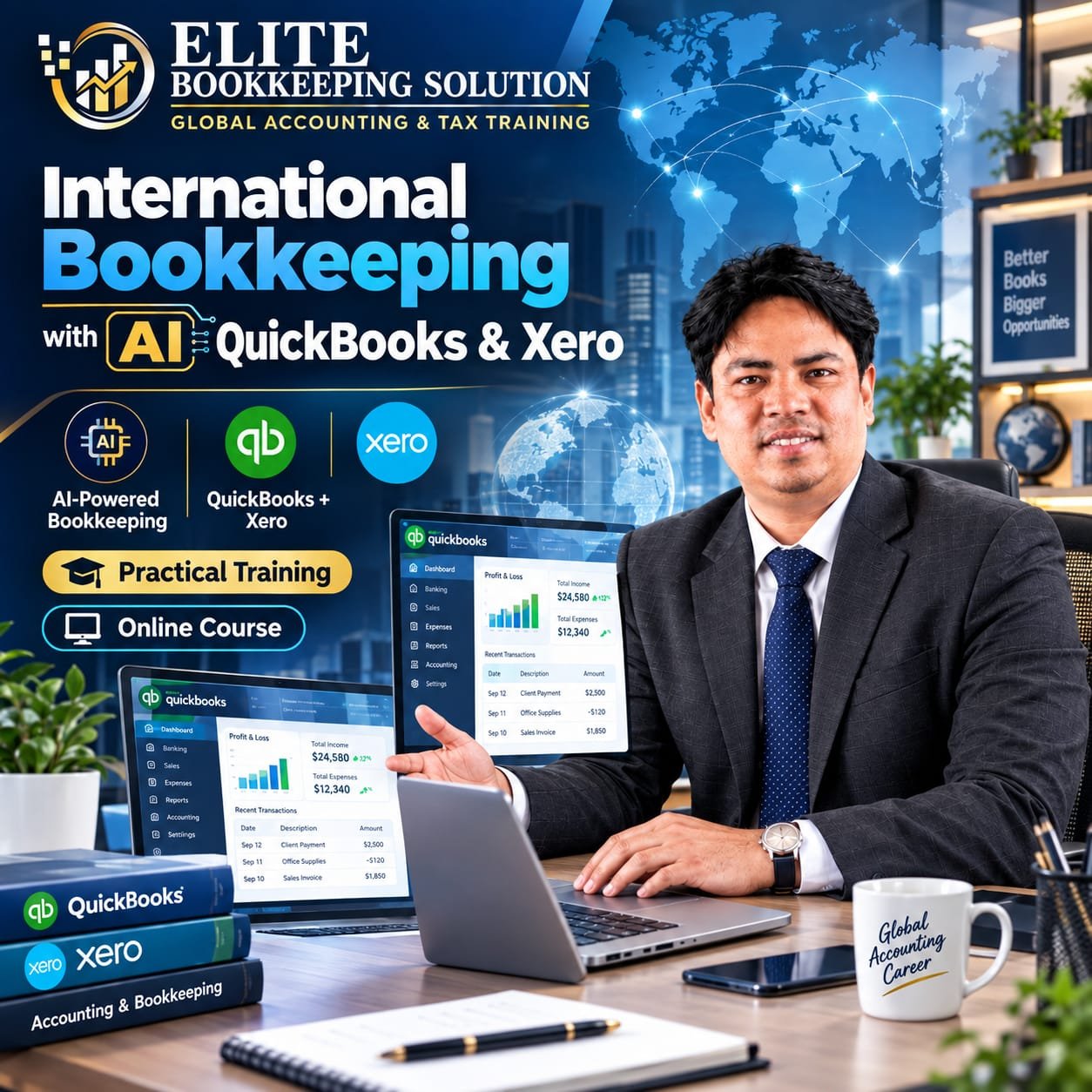
Cloud Accounting — International Bookkeeping with AI (QuickBooks & Xero). Learn accounting software from basic to advanced, specialist e-commerce and real estate bookkeeping, payroll, VAT and sales tax, cleanup, reconciliation, app integrations and data migration.
Program: 40 classes · 3.5 months. QuickBooks Online: 12; Xero: 8; Live Support: 12; Fiverr: 2; Upwork: 2; LinkedIn: 1; Live Exam: 3.
Practice 30+ real client projects and develop an AI-supported bookkeeping workflow and marketplace-ready professional profile.
Key features
- 40 classes over 3.5 months
- 80+ hours of practical classes
- 30+ real-life bookkeeping projects
- QuickBooks & Xero hands-on practice
- AI-supported international bookkeeping workflows
- Fiverr, Upwork and LinkedIn marketplace training
- Direct help with QuickBooks, Xero & Payroll ProAdvisor certificates
What you will learn
- QuickBooks Basic to Advanced
- Xero Basic to Advanced
- E-commerce Bookkeeping
- Real Estate Bookkeeping
- US & UK Payroll Bookkeeping and Tax
- Payroll Tax Calculation, Payment and Filing
- VAT Return & Filing
- GST and US Sales Tax & Filing
- Advanced Reconciliation, Cleanup & Catch-up
- Apps Integration — Hubdoc, Dext, Receipts & File
- Data Migration
- Live Support and Practice Sessions
- Marketplace Training — Fiverr, Upwork & LinkedIn
- Job Placement / Internship Preparation
Included bonuses
- Wave Accounting recorded course — free
- Basic Accounting recorded course for non-accountants — free; the complete seven-module outline is below
Detailed course curriculum
Open a module to see its complete topics.
01Module 1: QuickBooks Basic to Advanced
- Introduction to QuickBooks & Company Setup
- Chart of Accounts Configuration
- Customer Management & Invoicing
- Vendor Management & Bill Payments
- Banking & Bank Reconciliation
- Inventory Management
- Fixed Asset Setup & Depreciation Tracking
- Budgeting & Forecasting
- Advanced Reporting & Custom Reports
- Multi-User Access & Data Security
02Module 2: Xero Basic to Advanced
- Introduction to Xero & Organization Setup
- Chart of Accounts & Conversion Balances
- Customer Invoicing & Accounts Receivable
- Bills, Expenses & Vendor Management
- Bank Feeds & Bank Reconciliation
- Expense Claims & Employee Reimbursements
- Fixed Asset Setup & Depreciation Tracking
- Inventory Management & Item Tracking
- Payroll Setup & Processing (Region-Specific)
- Advanced Reporting, Budgeting & Add-On Integrations
03Module 3: E-commerce Bookkeeping
- Introduction to E-commerce Bookkeeping Basics
- Setting Up Chart of Accounts for E-commerce
- Recording Sales from Amazon, eBay, and Shopify
- Managing Payment Gateways (PayPal, Stripe, etc.)
- Tracking Fees, Commissions, and Payouts
- Inventory Management & Cost of Goods Sold (COGS)
- Tax Collection & Reporting
- Reconciling Bank and Platform Deposits
- Handling Returns, Refunds, and Chargebacks
- Financial Reporting & Profitability Analysis for E-commerce
04Module 4: Real Estate Bookkeeping
- Setting Up Chart of Accounts for Real Estate
- Tracking Property Acquisition Costs
- Recording Renovation & Improvement Expenses (Flipping)
- Tracking Rental Income & Security Deposits
- Managing Operating Expenses (Repairs, Utilities, etc.)
- Loan & Mortgage Tracking
- Depreciation of Rental Properties & Fixed Assets
- Capital Gains & Cost Basis for Flipped Properties
- Cash Flow Management for Multiple Properties
- Financial Reporting for Flipping vs. Rental Portfolios
05Module 5: US Payroll Bookkeeping & Payroll Tax
1. Payroll Setup & Employee Onboarding
- Setting up payroll systems in QuickBooks Payroll and Gusto
- Employee classification: W-2 vs 1099
- Collecting W-4 and I-9 forms
2. Payroll Processing (Weekly/Biweekly)
- Calculating gross pay, deductions, net pay
- Handling bonuses, commissions, and PTO
- Running payroll schedules in QuickBooks and Gusto
3. Payroll Tax Withholding & Payments
- Federal: Social Security, Medicare (FICA), Federal Income Tax
- State: Income tax, unemployment (SUTA)
- Employer-side taxes
4. Payroll Tax Filings
- Quarterly Form 941 and applicable state returns; annual Form 940
- Year-end filings: W-2, W-3, 1099-NEC
- Tax payment scheduling and deposits via EFTPS
5. Bookkeeping Entries
- Recording payroll journal entries in QuickBooks Online
- Mapping payroll to Chart of Accounts
- Reconciling payroll reports with bank statements
6. Payroll Compliance & Audits
- IRS and state audit readiness
- Maintaining employee payroll records
- Workers’ compensation and benefits reporting
7. Reporting & Reconciliation
- Payroll summary reports
- Tax liability reports
- Monthly reconciliation between payroll software and books
06Module 6: UK Payroll Bookkeeping & Payroll Tax
1. Payroll Setup & HMRC Registration
- Registering as an employer with HMRC
- Setting up payroll in Xero UK Payroll
- Adding employees and PAYE references
2. Payroll Processing & RTI Submissions
- Running monthly payroll with tax codes
- Real-Time Information (RTI) submission to HMRC via Xero
- Generating payslips and P60s
3. Payroll Tax Calculations
- PAYE (Income Tax)
- National Insurance (NI) – Employee and Employer portions
- Pension Auto-enrolment contributions
4. Payroll Bookkeeping Entries
- Recording payroll journals in Xero
- Allocating wages, taxes, pensions to correct accounts
- Reconciling with business bank account
5. HMRC Reporting & Compliance
- Submitting FPS and EPS to HMRC
- Managing statutory payments (SSP, SMP)
- Year-end: P60, P45, P11D submissions
Software Platforms Covered:
- QuickBooks Payroll (US) – payroll processing, tax filings, bookkeeping sync
- Gusto (US) – full payroll automation, contractor payments, benefits integration
- Xero Payroll (UK) – HMRC RTI filing, pension auto-enrolment, payroll reporting
07Module 7: Advanced Reconciliation, Cleanup & Catch-up
- Reviewing and Correcting Opening Balances
- Bank and Credit Card Reconciliation (Multi-month/Year)
- Identifying and Fixing Duplicate or Missing Transactions
- Matching Deposits to Sales and Invoices
- Clearing Undeposited Funds and Aged Receivables/Payables
- Correcting Misclassified Transactions
- Reconciling Loan Accounts and Interest Calculations
- Fixing Payroll and Tax Liabilities Errors
- Organizing Historical Records for Compliance and Audits
- Generating Clean Financial Reports After Catch-up
08Module 8: UK VAT Return & Filing (MTD Compliant)
1. VAT Scheme Setup
- Understanding different VAT schemes: Standard, Flat Rate, Cash, Annual
- Setting up VAT in QuickBooks, Xero, and spreadsheet-based systems
- Entering VAT registration details and effective dates
2. VAT Code & Rate Configuration
- Overview of VAT rates: Standard (20%), Reduced (5%), Zero, Exempt, Outside Scope
- Applying correct VAT codes to sales/purchases in QuickBooks and Xero
- Custom VAT code setup for industry-specific needs
3. VAT-Related Transaction Processing
- Recording sales and purchase invoices with correct VAT treatment
- Bank feeds and VAT categorisation automation
- Handling VAT on imports (Postponed VAT Accounting)
4. VAT Reconciliation Process
- Reviewing and reconciling VAT transactions before submission
- Checking VAT control accounts and ledger balances
- Correcting common input errors in VAT coding
5. Generating VAT Reports
- Producing VAT return summary (Box 1–9) in QuickBooks and Xero
- Understanding output vs input VAT calculations
- Reviewing supporting reports for audit readiness
6. Making Tax Digital (MTD) Compliance
- Overview of HMRC's MTD requirements
- Ensuring digital record-keeping and digital links
- Differences between direct MTD software and bridging software
7. MTD Bridging Software Usage
- When and why to use bridging software (Excel-based bookkeeping)
- Importing spreadsheet data into:
- 123 e-Filing
- Easy MTD VAT Apps
- My Tax Digital
- Filing VAT returns via HMRC API through bridging tools
8. Digital Link Requirements
- What qualifies as a digital link under MTD
- Avoiding manual entry or copy-paste
- Creating compliant workflows across systems
9. VAT Return Filing Process
- Filing directly through QuickBooks or Xero
- Filing via bridging software for Excel users
- Government Gateway login and submission confirmation
10. Payment & Record-Keeping
- VAT payment options and deadlines
- Setting up direct debit with HMRC
- Storing VAT returns, reports, and audit logs for 6 years
Software Tools Covered:
- QuickBooks Online UK
- Xero UK Payroll & VAT
- 123 e-Filing
- Easy MTD VAT App
- My Tax Digital
- Generic MTD Bridging Software
09Module 9: Apps Integration (Hubdoc, Dext, Receipts & File)
- Introduction to Document Management Apps
- (Overview of Hubdoc, Dext, Receipts & File and their role in modern bookkeeping)
- Account Setup & User Access Configuration
- (Creating accounts, adding users, setting roles and permissions)
- Connecting with Accounting Software
- (Integration with Xero, QuickBooks, Sage, etc.)
- Uploading Documents via Multiple Channels
- (Mobile app, email-in, drag-and-drop, scanner)
- Automatic Data Extraction Using OCR Technology
- (How receipts/invoices are read and parsed into financial data)
- Expense Categorization & Chart of Accounts Mapping
- (Coding transactions, setting default categories, syncing with ledgers)
- Supplier Rules & Auto-Publish Settings
- (Automation rules to streamline recurring documents)
10Module 10: US Sales Tax & Filing
- Sales Tax Nexus & Registration
- Product & Service Taxability
- Sales Tax Rate Determination (State, County, Local)
- Sales Tax Setup in Accounting Software
- Collecting & Recording Sales Tax
- Monthly/Quarterly Sales Tax Reporting
- Filing Sales Tax Returns (State Portals & Software)
- Sales Tax Compliance & Audit Readiness
11Module 11: Data Migration
- Assessing Source and Destination Systems (QB ↔ Xero)
- Backing Up Existing Data Before Migration
- Cleaning and Preparing Data for Transfer
- Setting Up Chart of Accounts in the New System
- Migrating Customer and Vendor Lists
- Transferring Open Invoices, Bills, and Balances
- Importing Bank Transactions and Reconciliations
- Migrating Payroll Data (If Applicable)
- Verifying Accuracy Through Trial Balances & Reports
- Post-Migration Review and Ongoing Support
12Module 12: Freelance Platform Training
- How to create and optimize profiles on:
- Fiverr
- Upwork
- Proposal writing strategies
- Communication & client handling
13Module 13: Live Client Practice (30+ Projects)
- You’ll work on 30+ real-life bookkeeping projects including:
- E-commerce
- Service businesses
- Real estate
- Freelancers/solopreneurs
- Payroll & reconciliation cases
Free recorded Basic Accounting course
Foundation course for non-accountants before advanced bookkeeping software and real client work.
Module 1: Introduction to Accounting
- What is Accounting?
- Users of Financial Information
- Types of Accounting (Financial vs. Managerial vs. Tax)
- Accounting Terminology & Concepts
Module 2: The Accounting Equation & Double-Entry System
- Understanding Assets = Liabilities + Equity
- Debits vs. Credits (with Examples)
- The Role of T-Accounts
- How to Analyze Transactions
Module 3: Chart of Accounts & Account Types
- Assets, Liabilities, Equity, Income, Expenses
- Customizing a Chart of Accounts for Clients
- Common COA Structures for Freelancers, E-commerce, and Services
Module 4: Journal Entries & Source Documents
- Understanding Source Documents (Invoices, Bills, Receipts)
- How to Record Basic Journal Entries
- Accrual vs. Cash Basis Accounting
- Adjusting Entries & Prepaid/Accrued Items
Module 5: General Ledger and Trial Balance
- Posting to the General Ledger
- Preparing an Unadjusted Trial Balance
- Identifying Errors in the Trial Balance
Module 6: Bank Reconciliation & Petty Cash
- What is Bank Reconciliation?
- Steps to Reconcile Bank Accounts
- Handling Petty Cash and Cash Controls
Module 7: Financial Statements
- Income Statement (Profit & Loss)
- Balance Sheet
- Cash Flow Statement – Basics
- How to Read and Explain Financials to Clients
Course benefits
- Certificate of Completion
- Guaranteed Internship Opportunity with experienced professionals or firms
- Access to a Freelance Support Community
- Resume, Cover Letter and Interview Preparation Help
- Lifetime support and direct support when you receive client work
- AI-supported bookkeeping skills
- Marketplace-ready professional profile
CHOOSE YOUR NEXT BATCH
View all upcoming batches Upcoming batches
BATCH STARTS09NOV2026